Nova Weather - News
- 4.4
- Rating
- 10.00K
- Installs
- Free
- Price
 Analysis by App-foxy
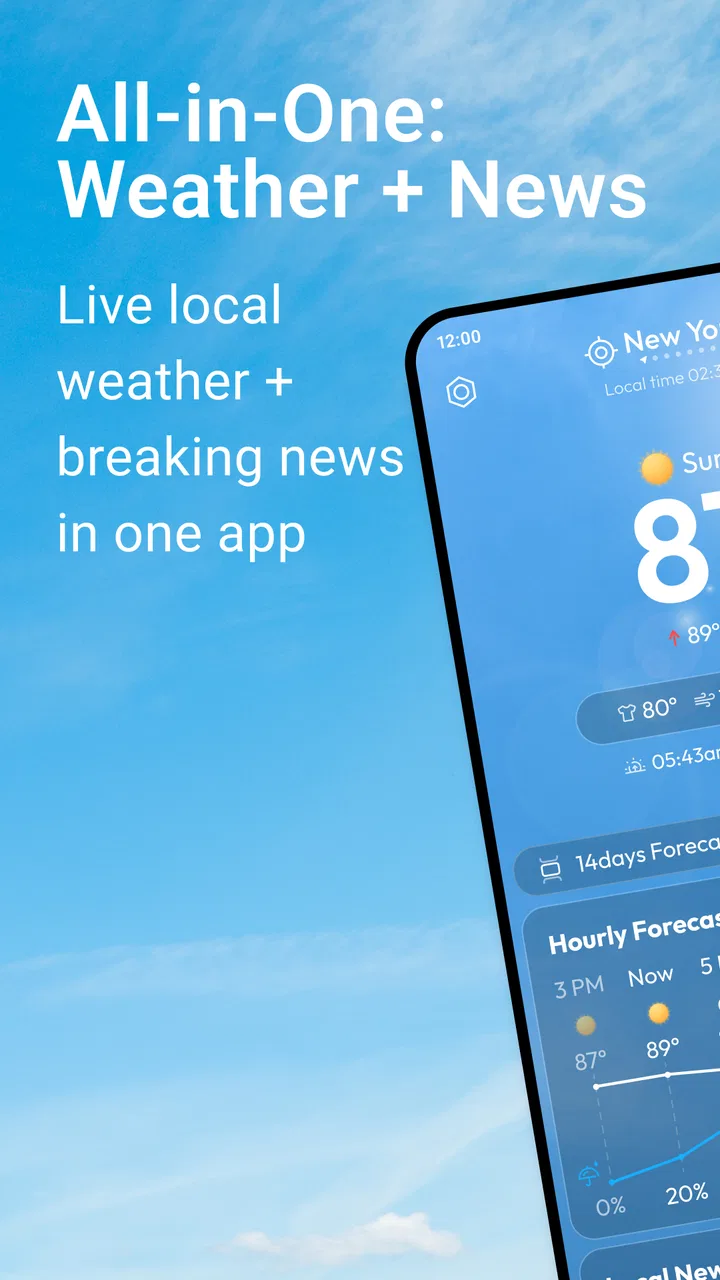
I usually keep a weather app and a news app on my phone, so I was interested in trying Nova Weather as a single place for both. Build4world presents it as a News & Magazines app, but its practical appeal is much more everyday: it brings local weather information and breaking news together so I can check the conditions and the headlines without switching between two separate apps.
After spending time with it, I see the app as a straightforward companion for planning ordinary days rather than a replacement for specialist weather tools or a full news-reading platform. Its best quality is the combination. I can open one app before leaving home, see what the weather is doing locally, and then scan the latest news in the same session. That sounds simple, but it removes a small amount of friction from a routine many people repeat several times a day.
Nova Weather is free, aimed at Everyone, and works on Android devices running version 8.0 or later. It reached version 1.0.8 after being released on July 25, 2025. The app has a 4.4 average from around 111 ratings and has passed 10K installs, which gives it a modest but encouraging early presence. I would still describe it as a relatively young app, so my expectations are more about useful simplicity than a huge ecosystem of mature tools.
You May Also Like

 AccuWeather: Weather Radar
AccuWeather Review: A Quick, Clear Forecast for Everyday Decisions
For everyday plans, the best forecast is the one you can understand quickly. AccuWeather makes rain timing, radar, and local conditions easy to act on, with a few trade-offs.

 Hill Climb Racing
Why Hill Climb Racing Still Turns Crashes Into One More Run
A tiny car, a bumpy hill and one more upgrade: Hill Climb Racing keeps resurfacing because its simple chaos makes every near-miss feel personal.

 AliExpress - Shopping App
AliExpress Makes Global Shopping Feel Personal, but Shoppers Bear the Risk
AliExpress turns a global marketplace into a pocket-sized discovery engine. Its reach is useful, its shopping loop compelling, and its trade-offs easy to miss.

 Lords Mobile: Kingdom Wars
Lords Mobile Is a Kingdom-Building Routine, Not a Quick Match
A case-by-case verdict on the building, battles, device demands, and social commitments that make Lords Mobile rewarding for some players and exhausting for others.

 PDF Scanner app - TapScanner
TapScanner Makes Paperwork Easier to Capture, Check, and Share
TapScanner makes scanning with a phone feel less like a rescue operation and more like a dependable step in getting work done. Its capture tools are useful, though not flawless.

 Block Blast!
 Shows How Much a Puzzle Game Can Leave Out
A quiet grid game shows why puzzle players increasingly value instant clarity, repeatable skill and low-pressure play—and where the genre still needs to catch up.
More From Our News Desk
View All News


How I use the app during a normal day
My baseline workflow is deliberately short. In the morning, I open the app to answer two questions: what kind of conditions should I expect locally, and is there anything in the breaking news that could affect my plans? I do not treat this as a deep reading session. It is more like a quick dashboard for deciding whether I need an extra layer, an umbrella, more travel time, or a few minutes to understand what is happening nearby.
This combined view is particularly useful when my day includes several small decisions. If I am walking to a station, running errands, or planning an outdoor break, the weather side gives immediate context. If a local event, disruption, or developing story appears in the news feed, I can adjust those plans without opening another app. The value is not that either part is necessarily more advanced than a dedicated alternative; it is that both checks happen in the same habit.
I found it helpful to open the app at consistent moments rather than constantly refreshing it. A morning check gives me a baseline, and another look before heading home catches changes in conditions or new headlines. This is a better routine than reacting to every notification, especially for people who find a stream of alerts distracting. The app works best when it supports a repeatable check-in instead of becoming another source of noise.
For a household, that routine can be practical too. One person can check the local forecast before school or work, while another can glance at the news before a commute. Because the two subjects sit together, the app is easy to explain to someone who does not want a complicated weather interface. I would recommend it to users who prefer one clear starting point over a collection of specialized apps.
What the combined format does well
The strongest design idea is contextual switching. Weather is usually tied to a decision, while news is usually tied to awareness. Seeing both in one place encourages me to ask, “What does today require from me?” rather than treating them as unrelated feeds. A storm warning, a local story, or a developing situation can all change how I plan the next few hours.
That does not mean the app turns headlines into weather advice, and I would not use it that way. Instead, the two sections complement each other. Weather helps with practical timing and clothing; news helps with context. The combination is most useful for short visits, when I want orientation rather than a long reading session.
There is also a useful trade-off here. A dedicated weather app may offer more detailed charts, maps, radar layers, or historical information. A dedicated news reader may provide more source controls, topic filters, and reading tools. Nova Weather is competing on convenience. If I need expert-level meteorological detail or a carefully organized news library, I would choose a specialist. If I want a quick local check, the combined format makes more sense.
Settings I would check first
My first recommendation is to spend a minute reviewing the app’s available settings instead of immediately relying on the default arrangement. The most important choices are the ones that affect what appears first, how often I check the app, and whether the presentation feels calm or crowded. I would not assume that every user needs the same balance between weather and news.
If the app lets you adjust location-related behavior or news preferences, choose the place and subjects that match your real routine rather than a temporary destination. A local weather view is only useful when it reflects where you actually spend time. Likewise, a broad breaking-news stream can become less helpful if it is filled with stories that have no connection to your interests or daily travel.
I also suggest checking notification controls before leaving them at their default. Breaking news can be useful when a story genuinely matters, but constant alerts can make an otherwise simple app feel intrusive. I prefer to use the app as a deliberate dashboard and keep notifications limited to what I consider worthwhile. If you are sensitive to interruptions, this is one of the first areas to review.
Another practical check is the app’s location and update behavior as you use it. I would pay attention to whether the displayed place remains correct when traveling and whether the information refreshes in a way that fits your expectations. A weather app can feel inaccurate when it is actually showing the wrong location, while a news feed can feel stale if it has not been refreshed. Confirming the basics early prevents misreading what the app is showing.
Because the app is free, I would also approach it with realistic expectations about presentation and depth. Free apps can be excellent for quick access, but they are not always built around the extensive customization found in established paid or specialist services. I value the low barrier to trying it, while accepting that the experience may be more focused than elaborate.
Small habits that make it faster
The quickest pattern I found is to give the app a specific job. Instead of opening it whenever I feel bored, I use it before leaving home, before an outdoor appointment, and when I need a concise update on current events. This keeps the weather and news functions connected to decisions. It also makes it easier to notice whether the app is actually saving time compared with my usual alternatives.
A second useful habit is to read in layers. I start with the weather because it affects immediate logistics, then scan the headlines. If a story matters, I can decide whether it deserves deeper reading elsewhere. This prevents the news feed from swallowing the whole check-in and keeps the app useful even when I only have a few seconds.
For commuting, I would check once before starting the journey and again before the return trip rather than repeatedly during the ride. The first look helps with clothing and timing; the second helps me reassess the trip home. This is a simple workflow, but it turns the app into a planning tool instead of just a feed.
Another non-obvious advantage is that the app can serve as a neutral first stop. When I open separate services, I often end up following recommendations, advertisements, or unrelated content. With Nova Weather, I can begin with two practical categories and decide afterward whether I need more detail. That makes it suitable for people who want awareness without committing to a long browsing session.
I would also avoid judging the news side from one visit. Breaking-news feeds naturally change, and the usefulness of the app depends partly on whether the current mix matches your location and interests. Try it at different times of day and during both routine and busy periods. That gives a better sense of whether it supports your habits or merely looks convenient at first glance.
Where experienced use reaches its limits
The app’s combined purpose is also its main limitation. When I want detailed weather analysis, I would rather use a dedicated service designed around maps, radar, alerts, or extended forecasting. When I want to compare sources, save articles, follow a particular subject, or build a carefully filtered reading list, a full news reader is likely to be better. Nova Weather is strongest before those specialist needs appear.
I would not make it my only source during serious weather conditions or an important emergency. A general local-weather-and-news app can help me notice that something is happening, but high-stakes decisions deserve official local guidance and more detailed information. That is not a criticism unique to this app; it is a sensible boundary for a lightweight combined tool.
There is a similar limit with local news. “Local” can mean different things to different users, and a person who needs neighborhood-level reporting may expect more precision than a general breaking-news feed provides. If your main goal is community journalism, school updates, municipal notices, or highly specific regional coverage, check whether the stories are relevant enough for your area before making this your primary news source.
The app may also be less appealing to readers who want a highly personalized news experience. Some people enjoy building topic lists, following individual publishers, or controlling every part of their feed. I would choose a mature news platform for that kind of use. Nova Weather makes more sense for a quick overview, especially when weather is equally important to the visit.
Device compatibility is reasonably broad for an Android app because it supports Android 8.0 and newer, but anyone using an older phone should check compatibility before planning around it. On supported devices, the free price makes experimentation easy. I could install it, use it alongside my existing services, and decide based on actual routine rather than committing money or replacing everything immediately.
Who should try it, and who should skip it
I think Nova Weather is a good fit for busy users who want a compact daily briefing. It suits commuters, students, parents, casual travelers, and anyone who checks weather before making ordinary plans. It is also a sensible choice for people who dislike maintaining several apps for basic information. The Everyone age rating and free access make it approachable for a wide audience.
I would be more cautious about recommending it to weather enthusiasts, professional travelers, outdoor workers, or anyone who needs detailed forecasting tools. Those users may quickly outgrow a combined overview and prefer a specialist weather app. Likewise, serious news readers who organize their day around sources, topics, and long-form articles will probably get more from a dedicated news platform.
The best way to decide is to compare tasks, not feature counts. Install it if your regular question is, “What should I know before I go out?” Skip it if your question is, “Can I analyze the next several days in detail?” or “Can I build a precise reading system around selected publishers?” Those are different jobs, and Nova Weather is clearly oriented toward the first one.
My verdict after building a routine around it
Build4world has made a sensible choice by pairing two information needs that naturally belong in a morning or pre-commute check. Nova Weather does not need to replace every app on my phone to be useful. Its role is smaller and clearer: give me a local weather glance and a breaking-news overview in one free app, then let me decide whether I need to investigate further.
My recommendation is to use it with a simple routine: confirm the location, review the notification preferences, check the weather before the day begins, scan the news without getting pulled into endless browsing, and use specialist sources whenever the decision is important. That approach makes the app’s strengths visible while keeping its limitations in perspective.
With a 4.4 average and more than 10K installs, it has already attracted early interest, and version 1.0.8 feels like a reasonable point for curious Android users to try it. I would not call it the definitive weather or news solution. I would call it a convenient first stop. If you want fast orientation rather than deep specialization, Nova Weather earns a place in your daily check-in.
FAQs for Nova Weather - News
01What features does Nova Weather - News offer?
Nova Weather - News provides comprehensive weather forecasts, real-time alerts, and detailed radar maps. It also features news updates related to weather events globally. Users can customize notifications and access local and international weather information, making it a versatile tool for daily planning and emergency preparedness.
02Is Nova Weather - News free to download and use?
Nova Weather - News is free to download, offering a range of standard features at no cost. However, it does offer premium options through in-app purchases for users who want enhanced features such as ad-free usage, advanced radar capabilities, and extended forecast data. Always check the app store for the latest pricing details.
03How accurate is the weather information provided by Nova Weather - News?
Nova Weather - News sources data from reputable meteorological organizations, ensuring high accuracy in its forecasts and alerts. The app uses advanced algorithms to analyze weather patterns, providing users with timely and precise information. However, as with any weather app, minor discrepancies can occur due to rapidly changing conditions.
04Does Nova Weather - News offer international weather updates?
Yes, Nova Weather - News offers weather updates for locations worldwide. Whether you are traveling or want to check on conditions in another country, the app provides detailed weather information and alerts, making it a reliable tool for global weather monitoring. Users can easily switch between locations to access this information.
05Can Nova Weather - News send severe weather alerts?
Nova Weather - News is equipped to send real-time severe weather alerts. Users can customize these notifications to receive warnings about storms, hurricanes, or other significant weather events based on their chosen locations. This feature is crucial for personal safety, allowing users to take timely precautions.
Pros
- Accurate weather predictions daily.
- Customizable alerts for severe weather.
- Intuitive and user-friendly interface.
- Wide range of weather data available.
- Low battery consumption during use.
Cons
- Ads can be intrusive at times.
- Requires internet for full functionality.
- Limited offline features available.
- Subscription needed for premium features.
- Occasional lag on older devices.

Nova Weather - News
Gallery